A post COVID world
With the ongoing social distancing and travel restrictions, hosting large events is looking increasingly unlikely for 2020. But, this is where live streaming comes in. Following the global lockdown, many companies quickly pivoted to seminars on Zoom, Teams, GotoMeeting and other platforms, in order to provide content to a captive audience. However, live streaming can take things further. With the right production set-up, you can create an engaging event that feels polished, interactive and exciting for audiences, while remaining safely at home.
The venue
The venue plays a big part in any live event. Locations like The Roundhouse or The Brewery can provide impressive spaces for physical events, but virtual events give you far more flexibility. An empty space can become a bespoke set, complete with staging, lighting and branding. Alternatively, a smaller studio or hired location can provide the perfect space for a host or presenter. Studios and sound stages also give production teams the space they need to build a professional set-up, whether you’re creating a fully virtual event or a hybrid experience. Studios also give us the room to keep social distance between members of the crew, presenters and clients, to ensure COVID-19 guidance is maintained.
Production value
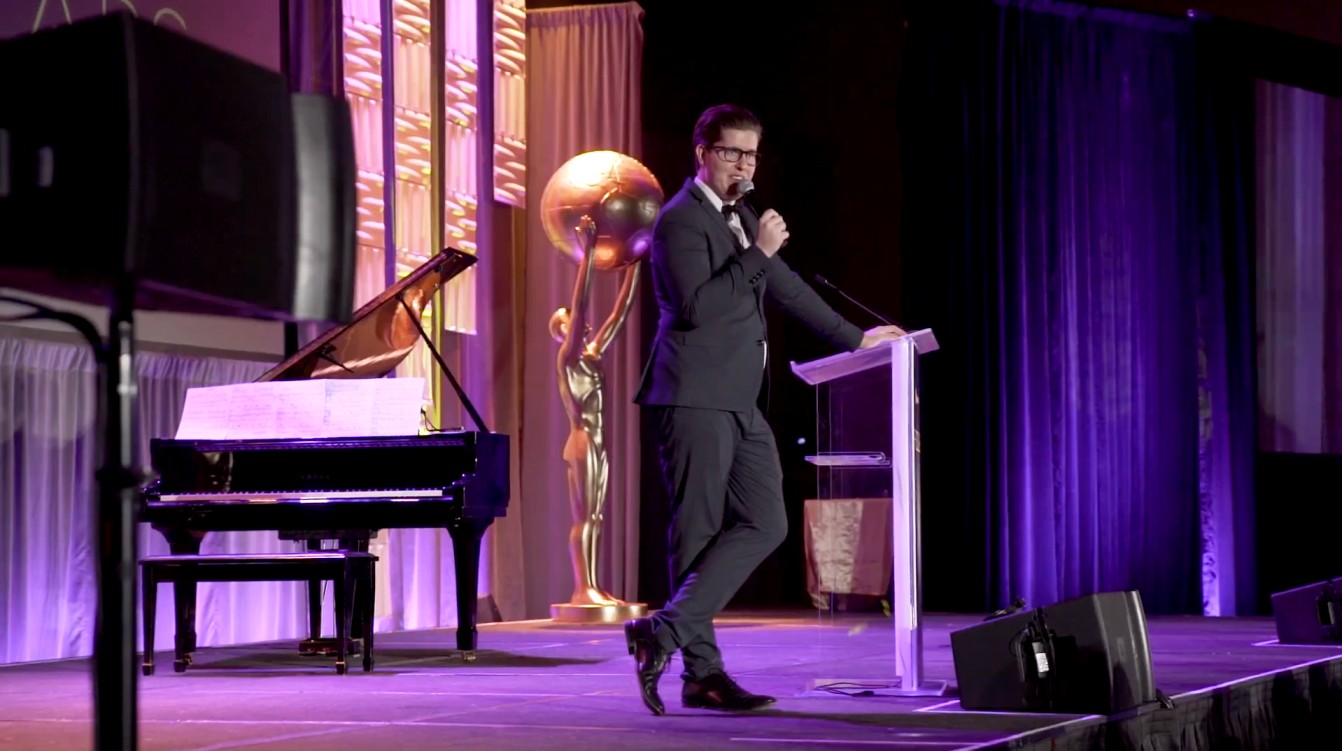
A studio gives you plenty of scope to raise your production value. You can introduce staging, bespoke sets, professional lighting and multi-camera setups to create a more dynamic viewing experience. But, you don’t need to break the budget. A smaller set-up can work just as effectively. For example, a single host could introduce speakers joining remotely via video call, transforming a straightforward webinar into a more engaging live event without significantly increasing production costs.
Content
A successful live event needs more than a presenter talking to camera. You can use graphics, multiple camera angles and pre-recorded videos to keep your audience engaged. You can also introduce panel discussions, fireside chats and live interviews to add variety, creating an interactive experience. Combine these with presentations, live graphics, audience participation and branded content, and you can create an event that feels much closer to a traditional live production.
Filming
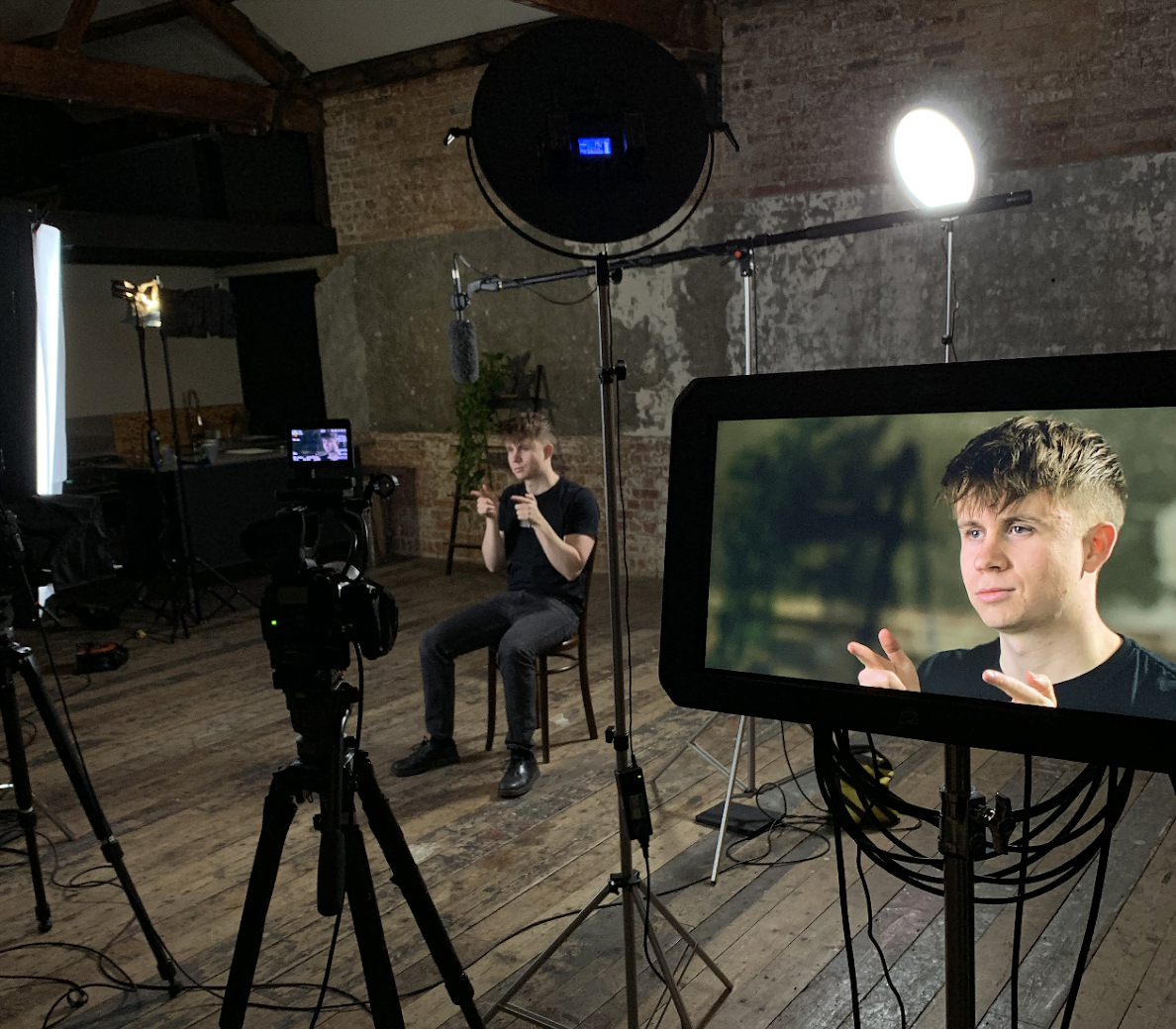
Single or multiple cameras can be operated manually if space allows. Alternatively, PTZ cameras (pan-tilt-zoom cameras) can be remotely controlled by an operator, reducing the need for additional camera crew. A vision mixer will then take the feeds from the cameras, mix these with any slide decks, graphics or videos and output to the live-streaming platform of your of choice. Check out what Prime Minister, Boris Johnson, has been able to achieve with a small crew and low production budget.
Live-streaming
Live-streaming gives you the power to broadcast your event to as many people as you like. With audiences from 1 to 10,000, you can stream your content to people without having to leave their home. The stream can be hosted privately or publicly on various platforms including your website, YouTube, Facebook, Twitter or even to multiple platforms simultaneously. It can also be password protected for internal events or even behind a paywall so that you can monetise your event to create additional revenue. You can even livestream an event via Zoom, GoToMeeting or other webinar platforms if you already have an audience used to using these. Another joy of many of these platforms is that you can check live audience numbers, their location and other analytics during the event.
Audience participation
Audience participation is a big part of a live event – and a live stream is no different! Some platforms include live Q&A functionality like Zoom, but depending on where you are broadcasting to there are other options including social channel monitoring using a tool like Hootsuite. Questions can then be relayed to a host via a screen or earpiece and addressed to a live or virtual presenter.
Post production
Live streams can be recorded, giving you access to the content after the stream is finished and from this additional edits and social media cuts can be created, providing the option to share the stream at a later date for people that couldn’t make the event itself.
Things to consider
Taking your event to the next level with live-streaming is relatively straightforward. But, a little planning goes a long way. First, decide where your presenters will be based. Will they all be at the venue, or will some join remotely? If you’re bringing presenters in via video call, pay close attention to lighting, camera position and background so they look polished.
Think about how your remote presenters will deliver their content too. Having presenters stand can bring more energy and presence to the screen. It might take a little practice, but it can make a big difference. For presenters in the room, having someone act as an audience can help keep the energy flowing. During a live Q&A, a director can feed questions to the host through an earpiece. With the right planning and production support, you can turn a straightforward webinar into a polished, engaging live event. Get in touch to find out how we can help!